
Matrox Extio 3
IP KVM Extenders
High-performance IP KVM extenders for secure 4K extension over 1 GbE Ethernet, built for critical workflows.
Powerful features for an optimal performance

Secure KVM

Full visualization

Highly optimized build
The secure IP KVM for critical workflows
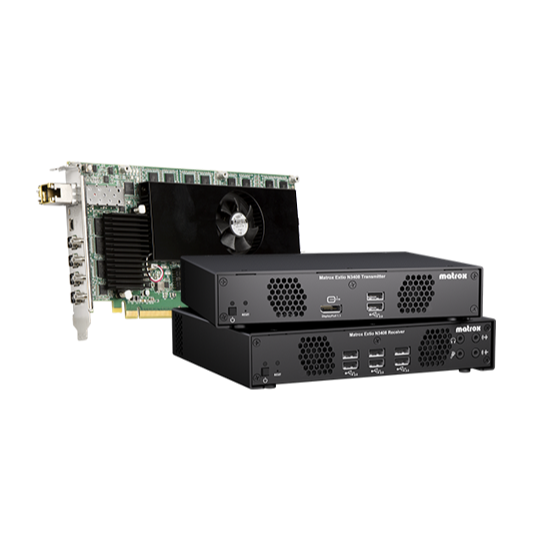
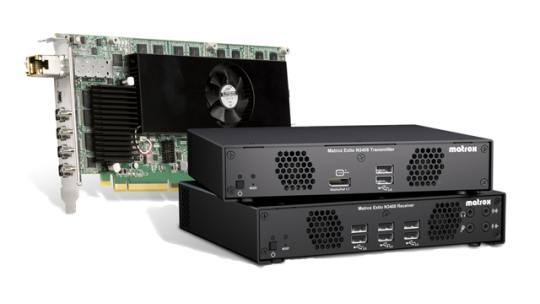
Matrox Extio 3 is a reliable IP-based KVM solution that has both 4K and HD capabilities with multi-display KVM extension abilities and exceptional remote performance.
-
4K KVM extension over 1 GbE Ethernet
-
KVM matrix over IP with fast multi-source switching
-
Aggregator mode and Tile view for multi-display extension
-
Long-distance remote KVM extension over LAN, WAN or internet
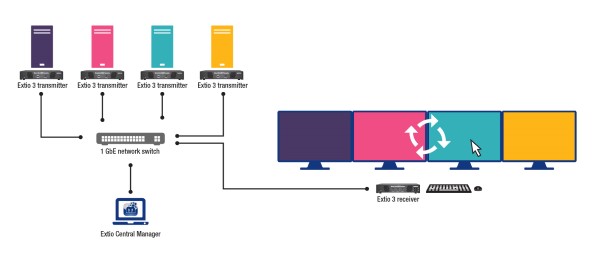
Multi-Monitor KVM Extension with Aggregator Mode
Aggregator Mode enables a single operator to access and control remote systems from one multi-monitor workstation over the IP network. Each desktop maps to its own screen. Move the mouse to any target desktop to take control, switching between systems reliably, securely, and in real time.
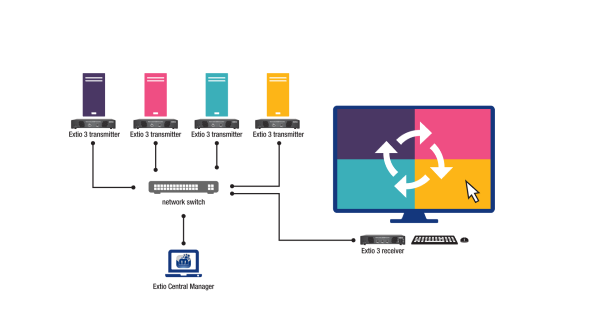
4K Tile View
Tile View provides multiview KVM monitoring by displaying up to four remote video sources on a single 4K monitor. With the ability to view four separate systems simultaneously, Tile View delivers an efficient way to extend and monitor your workflow from a single remote workstation.
Tired of noisy, overheating computers cluttering your workspace?
Relocate computers to a secure equipment room and extend full 4K multi-monitor control to any workstation over your existing copper or fiber network. No software to install. No signal loss.
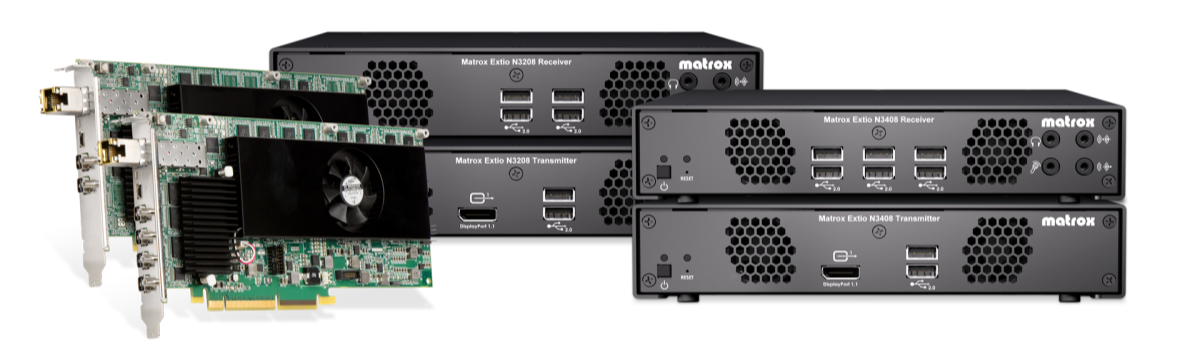
We’re proud to bring you superior
multi-monitor control!

EXPAND WORKSPACE
CONTROL MORE WITH LESS
MINIMIZE CLUTTER
Frequently Asked Questions
Q1. What is the difference between a KVM extender and a KVM switch? Is Extio 3 an extender or a switch?
Extio 3 delivers the best of both worlds: it is a KVM extender equipped with incredibly fast KVM switching capabilities.
As an extender, it securely sends your computer's signals over your existing IP network with exceptional video quality. But unlike a traditional extender, Extio 3 allows you to switch between multiple systems on the fly. When deployed across a network, operators get matrix-style flexibility to instantly switch their control from one remote system to another, making it a complete extension and switching solution.
Q2. What infrastructure do I need to run Extio 3? Do I need to replace my cabling?
No. Extio 3 runs over your existing 1 GbE Ethernet network and supports both copper CATx cabling up to 100m and fiber optic cable up to 10km. Because Extio 3 uses modular SFP ports, the same hardware supports either cable type simply by swapping the transceiver, so there is no need for a costly infrastructure overhaul.
Q3. We operate in a high-security or regulated environment. Is Extio 3 appropriate?
Q4. Does Extio 3 require software installation on our computers?
What our trusted clients have to say
"Our main goal was to be able to house desktop PCs in a secure environment, physically separated from the end-users and monitors. This avoids the need to undertake system maintenance directly on/under operator desks, simplifying PC hardware replacement and other tasks."

"Matrox has really stood out to KNPC as a true partner throughout the rollout of the remote monitoring solution. KNPC had a long list of requirements for a KVM solution – ranging from security to ease of use – and Matrox Extio 3 IP KVM extenders have completely surpassed their expectations."

"Extio 3 Series features the familiar industry-leading KVM extension performance, feature set, and reliability that we were looking for, while offering support for the latest Windows® operating system. The transition was seamless."

Extio 3's benefits of Aggregator Mode & enhanced cybersecurity
Switch and access all systems on the KVM network
Contact us to learn more about our Extio 3 Series IP KVMs

- Matrox Video
- Global Headquarters
- 1055 St. Regis Blvd.
- Dorval, Quebec
- Canada H9P 2T4
- 1-800-361-4903


Matrox Video is a global leader in video technology. Featuring a complete portfolio of best-in-class hardware, software, APIs, and SDKs, Matrox Video enables OEMs, system integrators, value-added channel partners, and end users to push the boundaries of video innovation. Serving the AV/IT, broadcast, and emerging markets for over 45 years, Matrox Video is synonymous with quality, performance, interoperability, and support. Matrox Video’s legal entity is Matrox Graphics Inc., part of the Matrox Group.